Mobile Music Application Onboarding
Bose
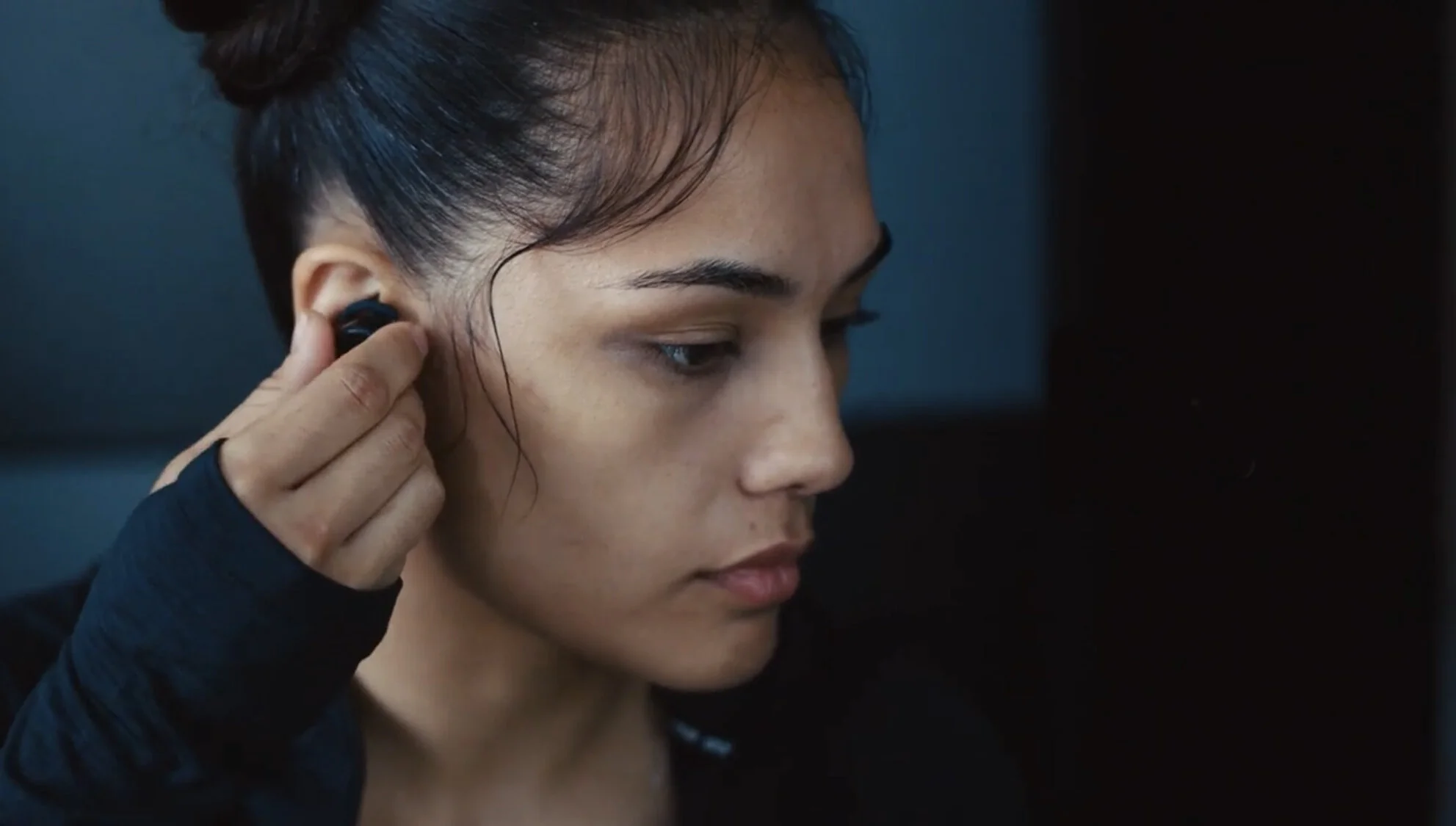
Our client utilizes intercept feedback surveys and customer reviews to collect feedback on their products. After receiving a substantial amount of feedback on their previous earbud model's fit, the research team discovered the source of the problem.
Role / Team
Self:
User flow mapping and information gathering
Interaction and user interface design
Participated in research analysis
Animation and motion design
Content strategy
Prototype design and development
User research observer/scribe
Drafted final design specifications for iOS and Android native applications
Conducted quality assurance to identify and resolve defects with engineering partners prior to launch
Design team:
Drafted research plan
Interviewed users
Coordinated research analysis
Content strategy
Methods
Passive research (analytics and customer feedback review)
Heuristic analysis
Usability testing
Problem
After analyzing the customer feedback, the research team interviewed and observed customers in out-of-box experience (OOBE) tests. They found that customers were eager to try on and use the product. Putting on the earbuds with the default medium size and flipping through the app's onboarding experience as fast as possible.
As anticipated, the default medium size earbud tips are not intended to fit every customer's ear. Additional ear tip sizes are included with the product. However, customers would often not recognize that the earbuds did not fit properly--and would later fall out.
Users
New Earbud Owners
We looked at designing a solution for customers that have recently purchased the new earbud product and trying them on for the first time.
Earbud owners represented as Memojis
Constraints
The packaging can't be altered
Native mobile application
Only three interchangeable ear tip sizes that can’t be altered
Fitment explanation screens can only be presented between the "Product Naming" and "Product Tour" screens in the onboarding experience (which can be reviewed post-setup in the app settings screen)
Design Process
Reviewing the Out-Of-Box-Experience (OOBE)
The lead designer and I began by reviewing the out-of-box experience. The user's out-of-box experience was already cumbersome, from opening the product packaging to set up the device on the customer's phone.
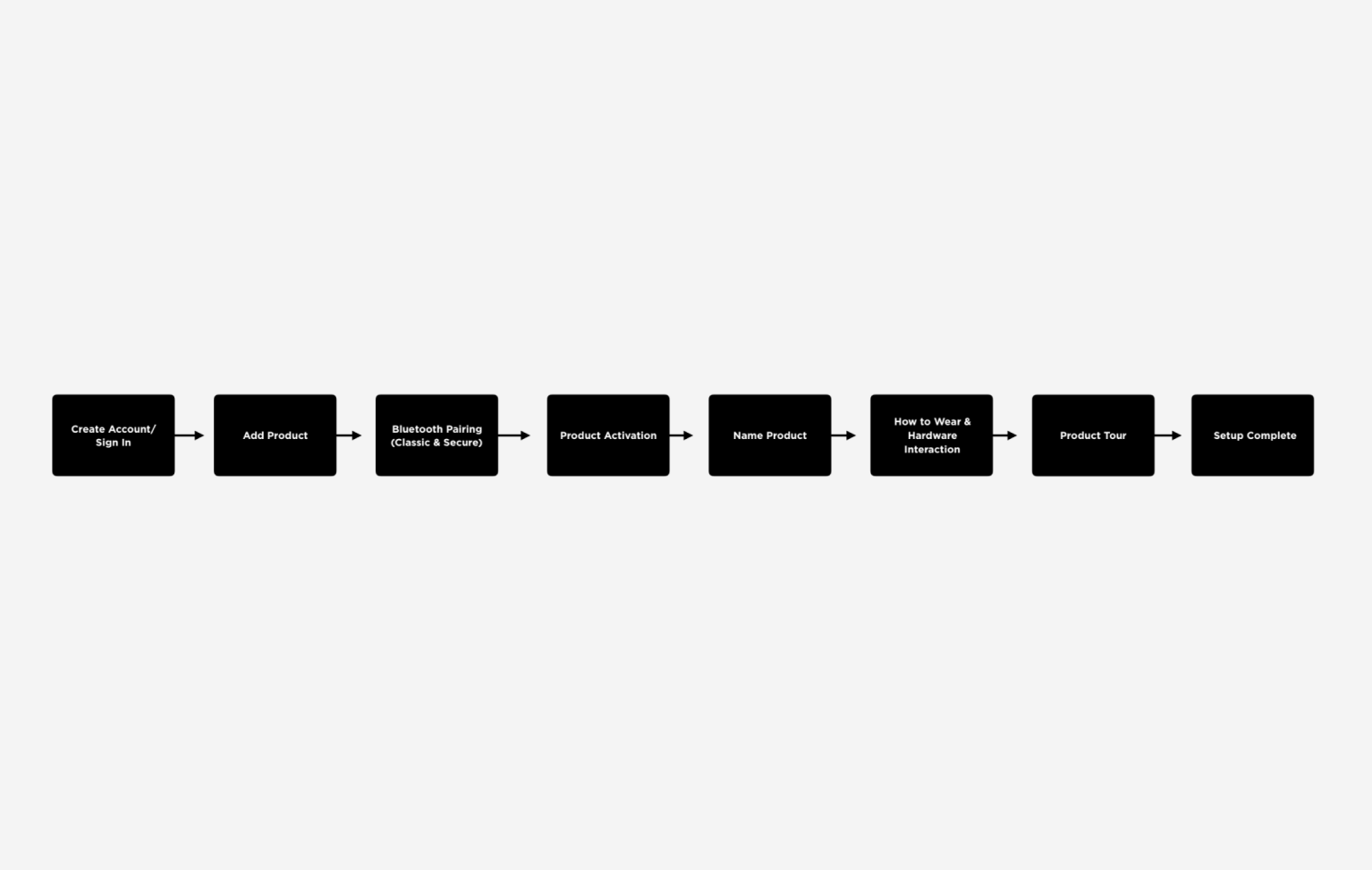
The out-of-box experience represented as a box flow
The research team also informed us that they had watched a majority of test participants swipe through the onboarding experience quickly, skipping any helpful information during the setup of the product during their observations.
A/B Testing
For our initial testing, we designed a prototype, focusing on providing customers only with the information they needed to decide on the ear tip's fit. The prototype used animation and instructional copy to reinforce how the user should wear the product.
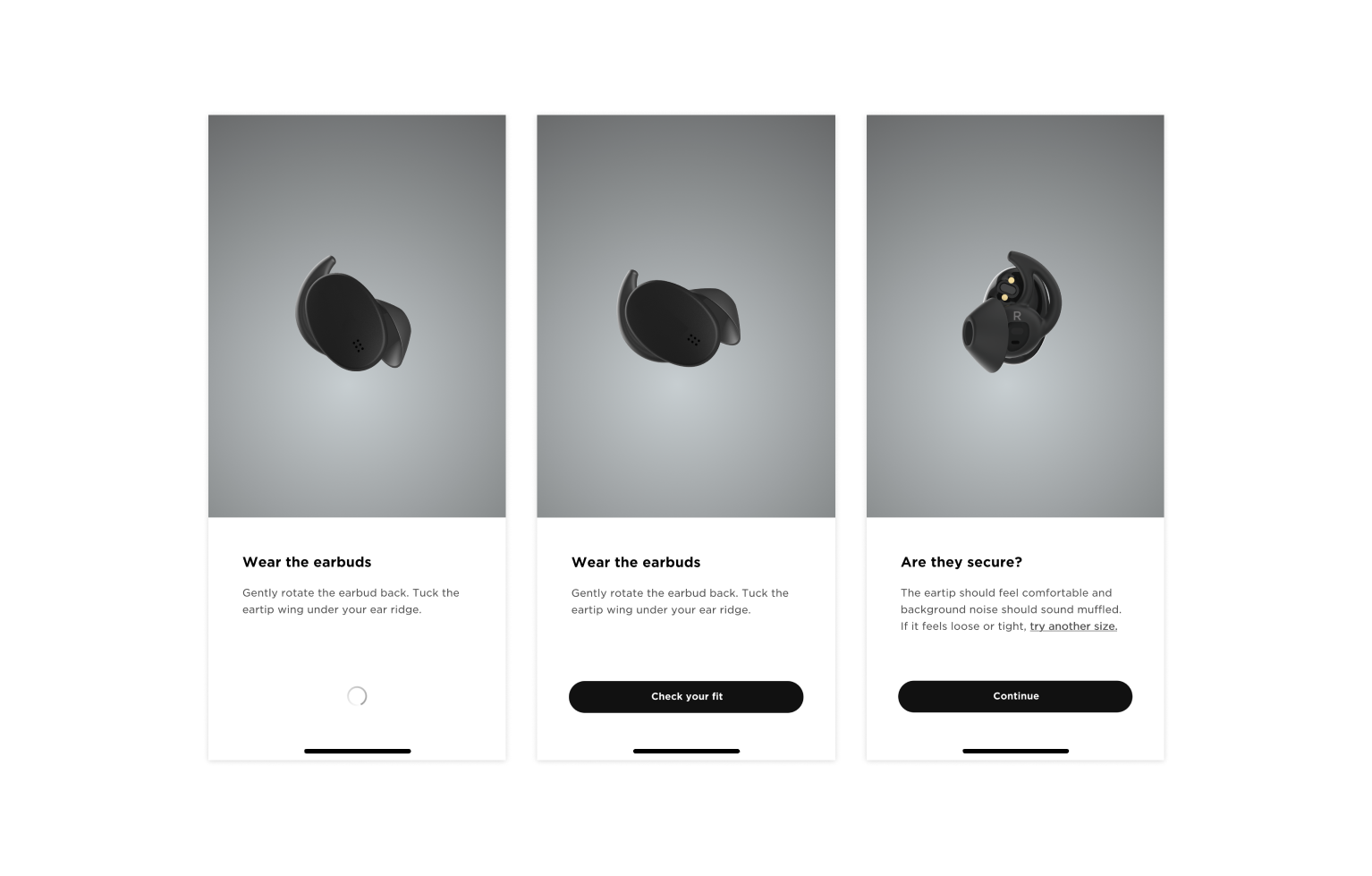
Prototype round one usability testing
We also took this opportunity to test out a gating approach to slow the user down. Adding friction to a design typically goes against user experience best practices. However, we opted to make an exception since we were adding to the customer's mental model.
Test Results
“Check Your Fit” Screen (n=18*)
4 of 18 (22%) participants correctly donned the bud (meaning that pictures show that the buds are clocked and tucked)
Participants were then asked to read the "Check your fit" screen once more:
9 of 18 (50%) participants correctly donned the bud (meaning that pictures show that the buds are clocked and tucked)
At the end of the study, 8 participants were asked to check the earbud's fit using a mirror. The data reported here are for the ear tips that were the participants' best fitting size between small and medium.
Before being forced to use a mirror:
1 of the 8 participants already asked to use the mirror as mentioned on the "Check your fit" screen.
5 out of 8 participants had correctly donned their earbuds.
After being forced to use a mirror:
7 out of 8 had correctly donned their earbuds
“Need to Adjust” Screen (n=14*)
After going through the "Need to adjust" screen on their own:
7% of participants tried another ear tip size.
After being asked to revisit and read the "Need to adjust" screen once more:
43% of participants decided to try another tip size.
Multi-variant Testing
With these results in mind, we began work to revise the screens. After seeing some success with participants adjusting their fit with the mirror, we started ideating solutions that prompted the user to confirm their fit visually. Considering the user might not have a mirror readily available, we decided to leverage what the user did have on them, their phone's camera.
Using Facebook's Origami prototyping software, I designed a prototype that used the iPhone's front-facing camera. To further explore the concept of visual confirmation, we built three variations of this prototype that did not use the front-facing camera but instead relied on additional screens and copy.
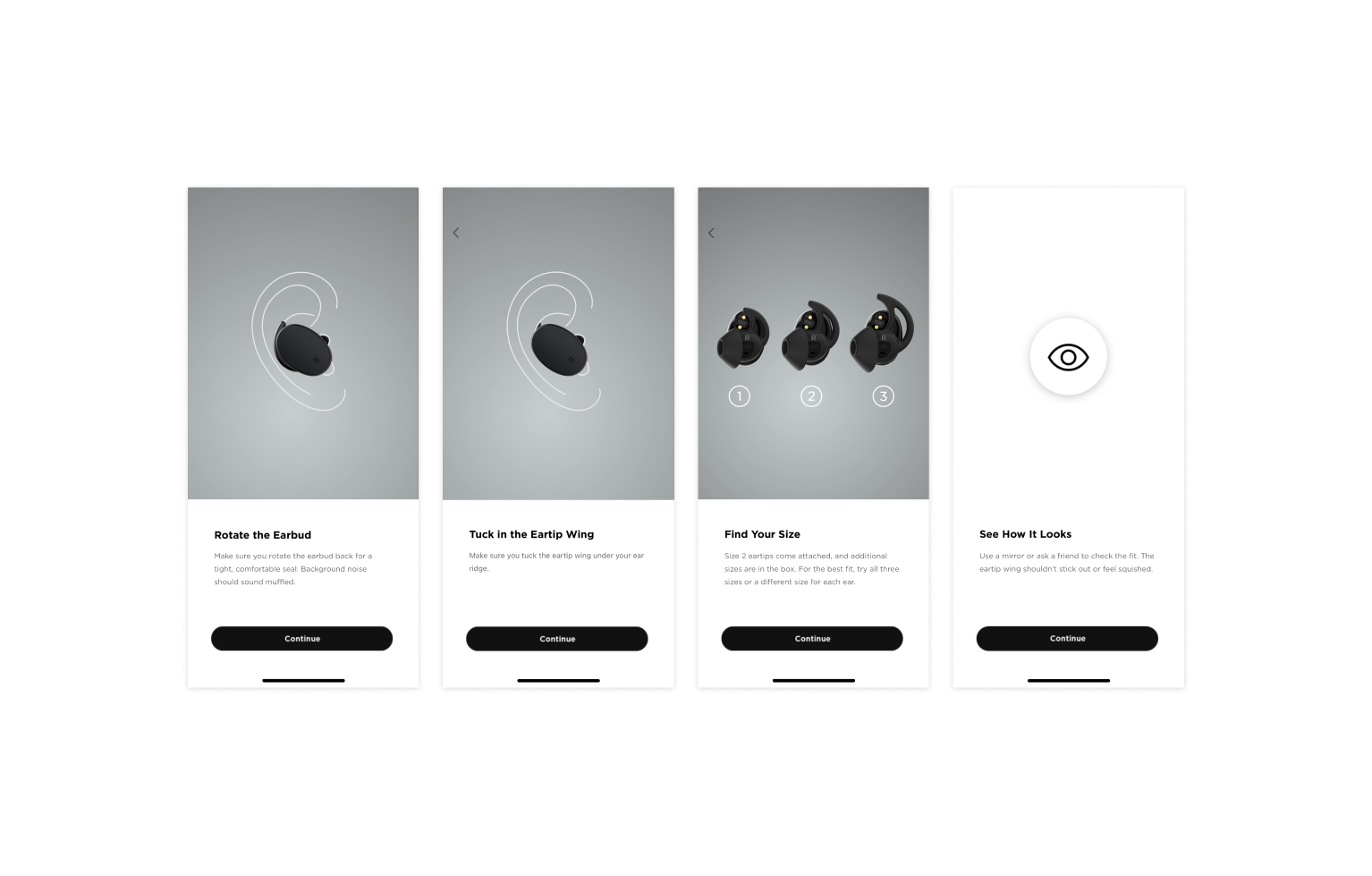
Prototype A
Prototype A prompted users to check the earbud's fit in a mirror or by asking a friend. This screen appeared after the donning and fitment screens. A mirror was hung in the study room for participants to check the fit of the earbud.
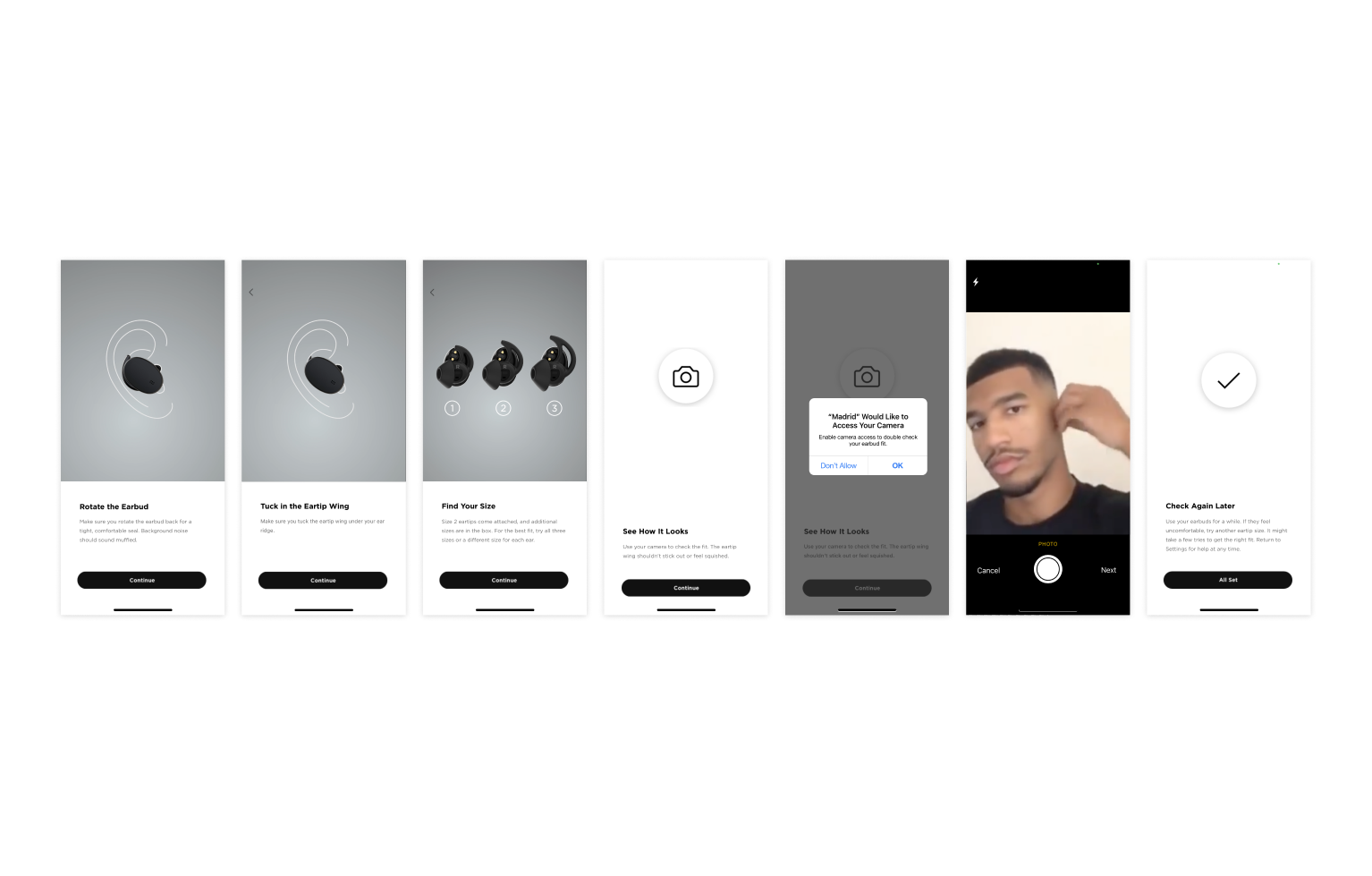
Prototype B
Prototype B prompted users to check the fit of the earbud with the provided smartphone's front-facing camera. If the participant allowed the app access to the smartphone's camera, the front-facing camera would open. If participants declined to give the app access to the camera, the same screen used in prototype A would prompt participants to check the earbud's fit in a mirror or with a friend.
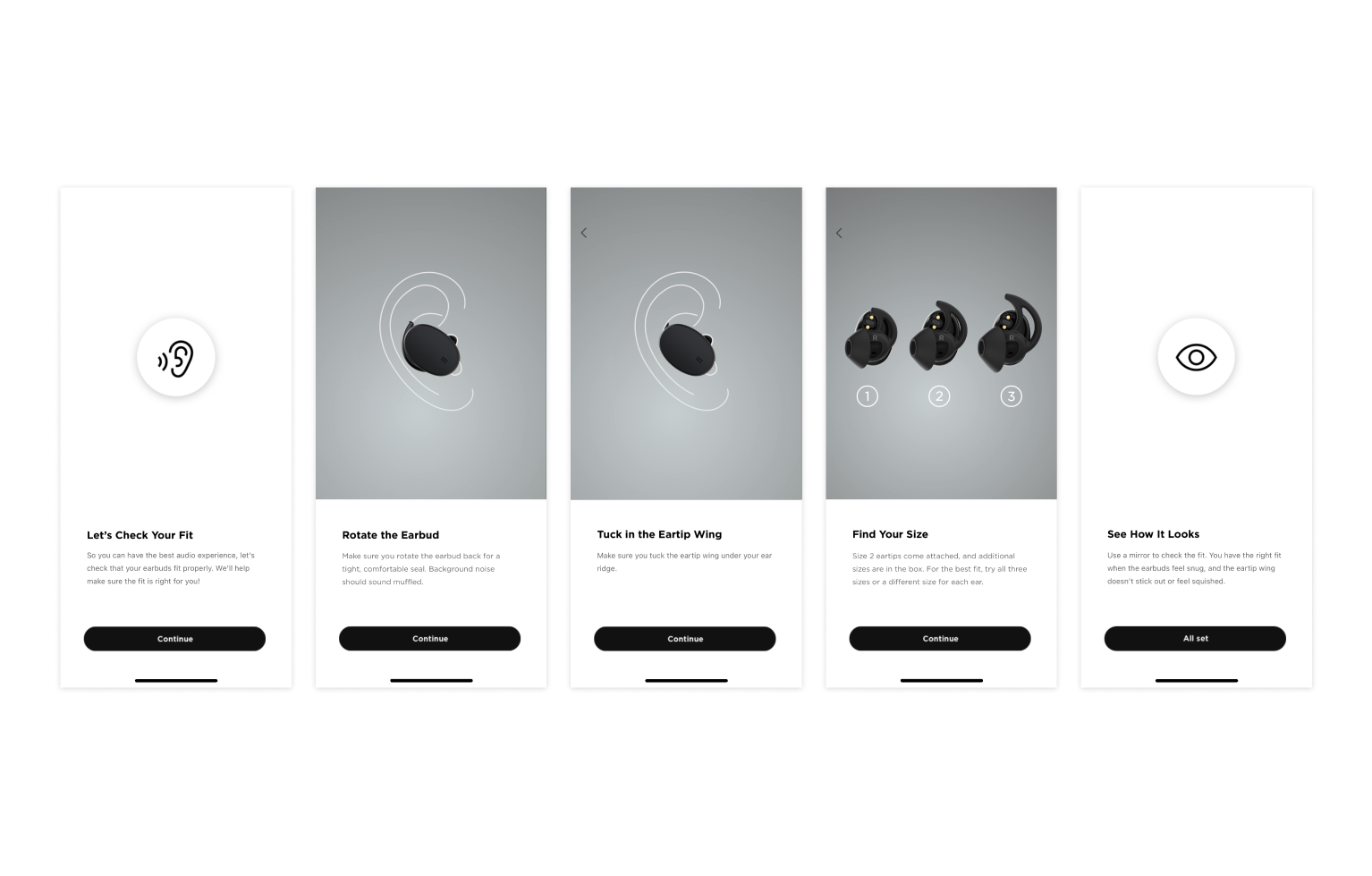
Prototype C
Prototype C contained an additional screen at the beginning of the donning flow, which explained that a proper fit is necessary for the best audio experience. This prototype also prompted users to check the fit of the earbuds in the mirror.
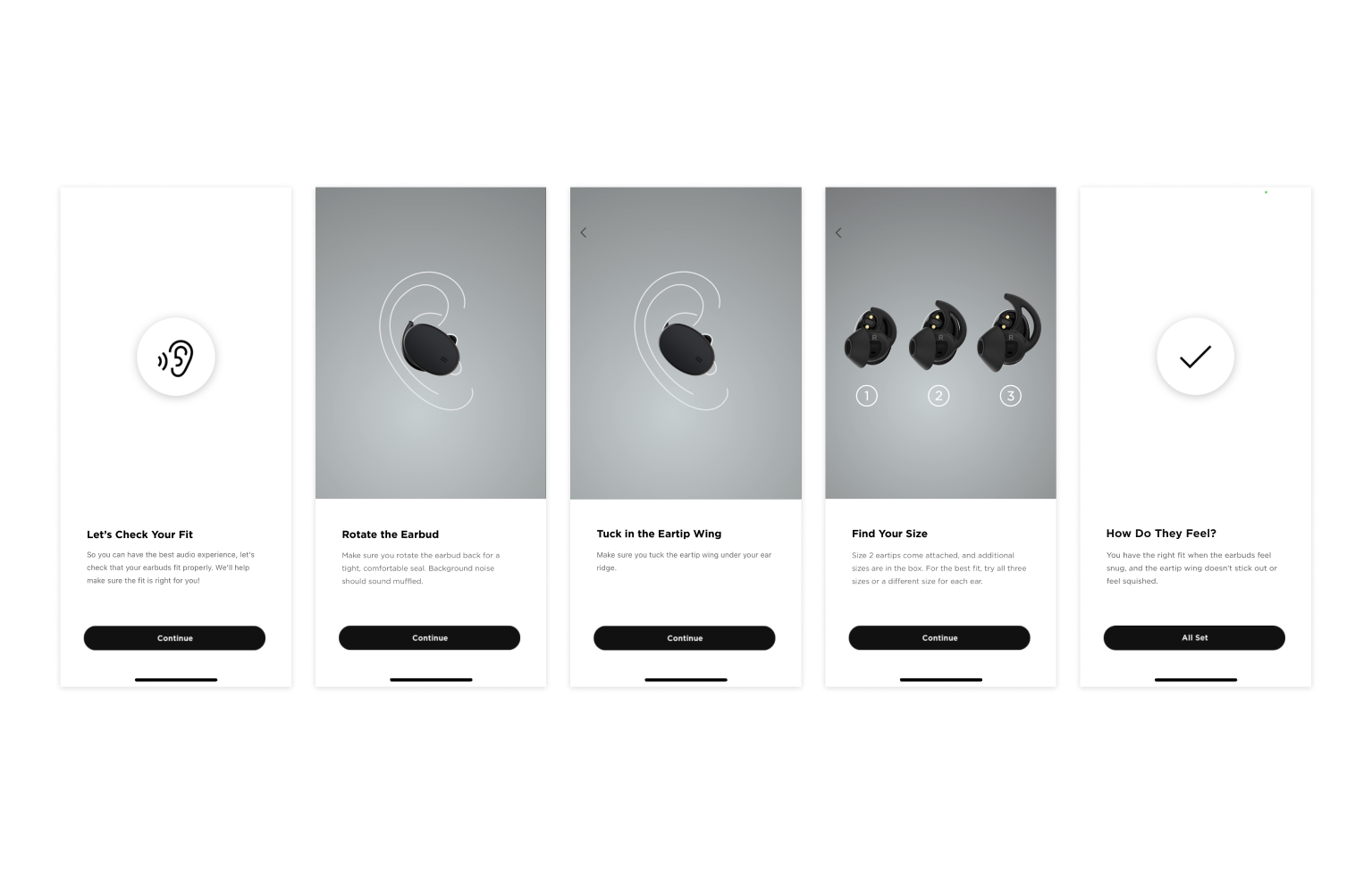
Prototype D
Prototype D contained the screen added in prototype C but did not prompt the participant to check the earbud's fit in either a camera or a mirror. Instead, a screen appeared that explained what the earbuds should feel like when appropriately fitted.
Test Results
18 of 22 (82%) participants attempted to rotate the earbud and tuck the ear tip wing, indicating that the app screens effectively communicated the need to rotate the earbud and tuck the ear tip wing.
12 of 22 (55%) participants successfully rotated the earbuds and tucked the ear tip wing. Though participants understood the need to rotate the earbud and tuck the ear tip wing, just under half failed to do so correctly.
11 of 22 (50%) participants tried at least one other ear tip size.
Participants felt that the length of the onboarding process in the app and the amount of content per screen were appropriate.
Participants felt that the information within the app was straightforward and did not require drastic changes.
Final Design
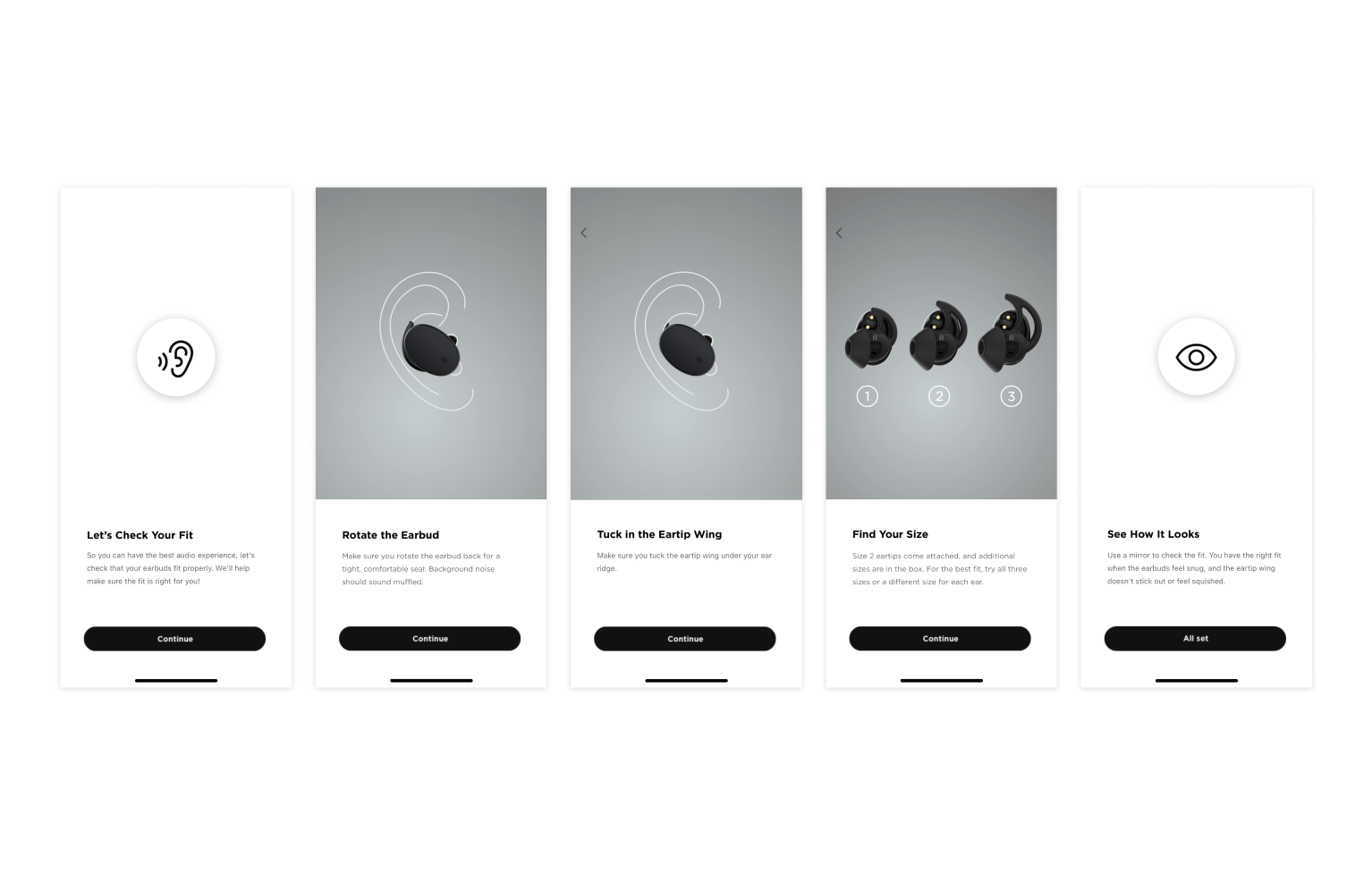
Final screen flow
Outcomes
Overall, donning success rates improved from the first study, in which 41% of participants successfully rotated and tucked the earbuds after viewing the donning and fitment screens.
There was an increase in the number of participants who attempted to tuck and rotate the earbud in the current study (82%) compared with the previous study (70%).
Research findings were socialized to teams with similar wearable products.
Reflection
Carefully considered microcopy and interactions are essential to a good user experience
Friction can sometimes be a useful tool to help improve understanding